NIC Chile's coordinators needed hours or days to answer basic questions about domain disputes. I designed one tool that brought four systems and a set of spreadsheets into a single view of every stage, clinic and arbitrator.
Client
NIC Chile, .cl registry
Years
Oct 2021 – Mar 2025
Role
Lead product designer
Team
Me, 1 developer, 1 database engineer
Status
Shipped
2,000+dispute requests a yearNIC Chile
33arbitrators, 2 coordinatorsNIC Chile
4 → 1systems and spreadsheets, into one toolResearch interviews
−90%+time to find a key indicatorBefore vs after, indexed
A pioneering dispute system that couldn't explain its own performance
NIC Chile runs the registry for the .cl country domain, with more than 600,000 domains registered. Since 2014 it has resolved domain disputes through online arbitration: more than 2,000 requests a year, handled by 33 arbitrators and overseen by 2 coordinators.
The coordinators report the system's performance to NIC Chile's board. To do that, they had to know which stages were slow, which arbitrators were falling behind and how legal clinics were performing.
I led the design, from research to coded interface
I owned the research, the information architecture, the data visualization and the interface, which I built in code. A developer refined my code and a database engineer connected it to the real data. On the client side I worked with the Legal Director, the main coordinator and a legal assistant.
Research
Information architecture
Data viz
Front-end
Simple questions took hours, and some couldn't be answered at all
Answering "which stage is slowest this quarter?" meant opening up to four systems and several Excel files. Each showed one dataset at a time, so coordinators couldn't compare or correlate anything. Some data existed but had no view at all.
Before. Each source held part of an answer, with nothing joining them.FIG. 01
The protocol, explained by the people who run it
Over a series of sessions, the coordinators walked me through every stage of the dispute protocol, the data each stage produced and the tools they used to look at it, checking my understanding as we went. Three findings shaped the work:
Four storiesFour tools meant nobody could see a dispute's whole path in one place.
Missing viewsData that existed in the databases had never been shown.
Hard chartsEven available numbers didn't turn into conclusions.
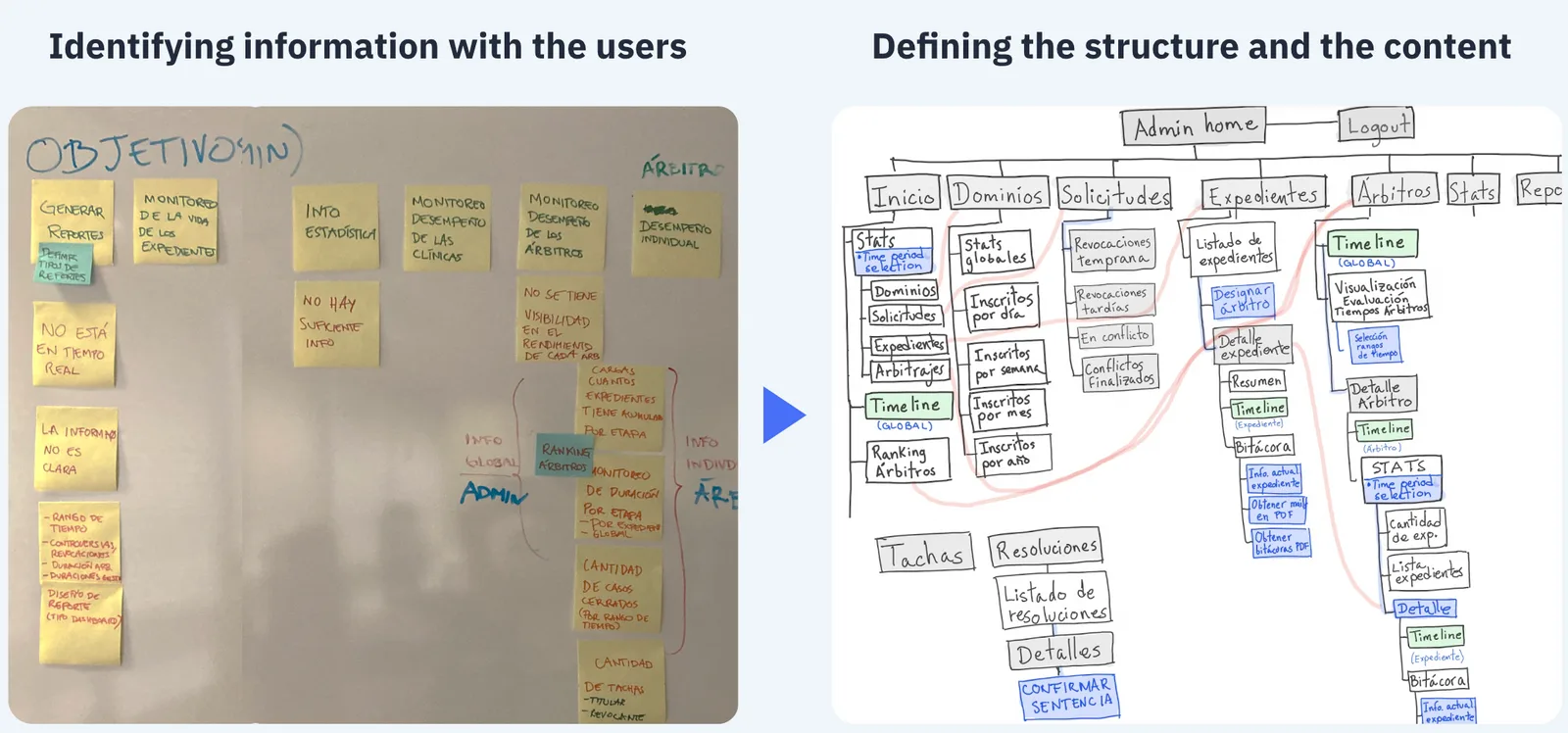
I used the information architecture to consolidate what I learned: sticky notes with the coordinators first, then a structure we iterated on together until it held every question they needed to answer.
From sessions to structure. Sticky notes with the coordinators became the tree every view hangs from.FIG. 02
Organise by the protocol, not by the data source
Build everything around the dispute's stages
Structure
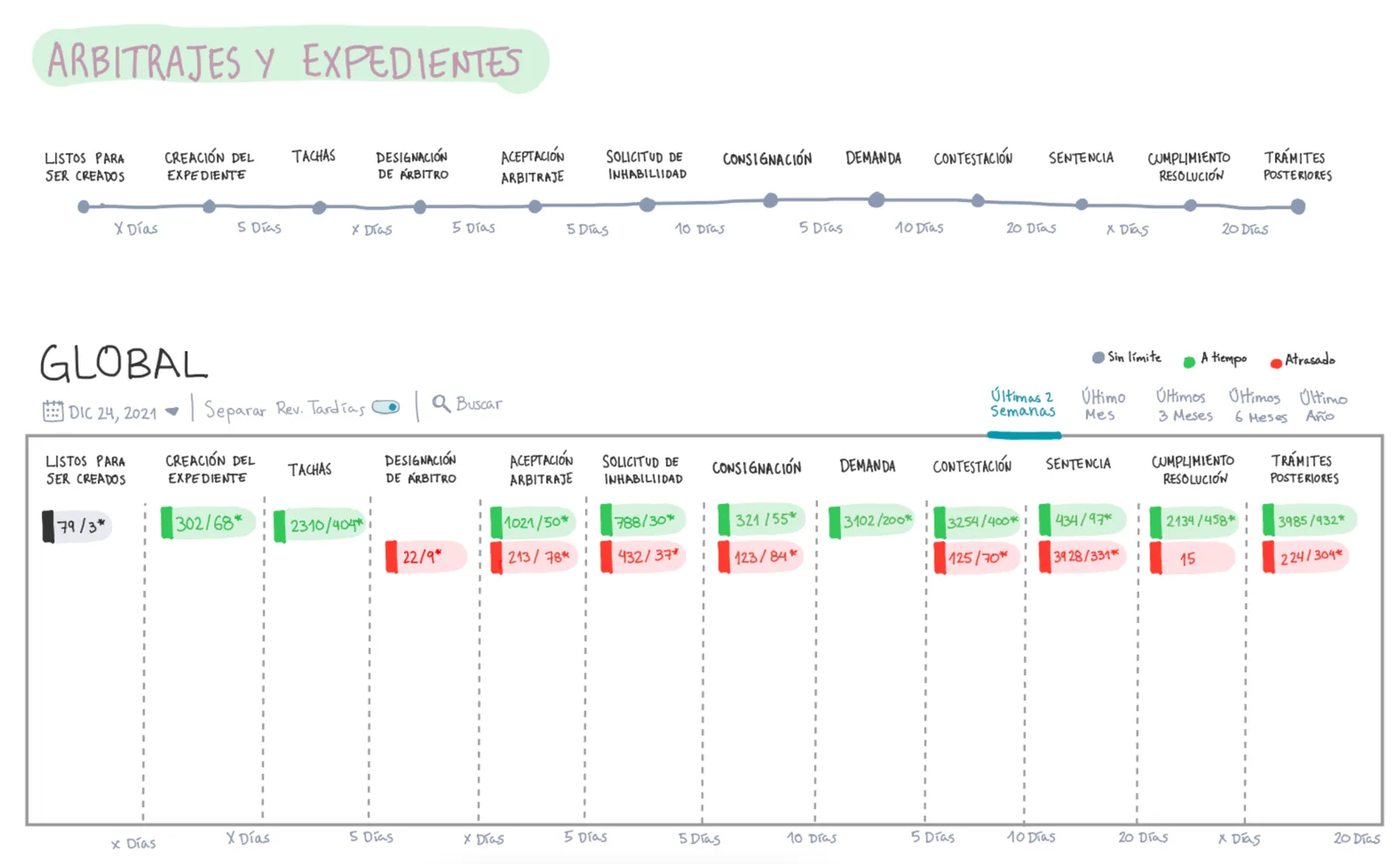
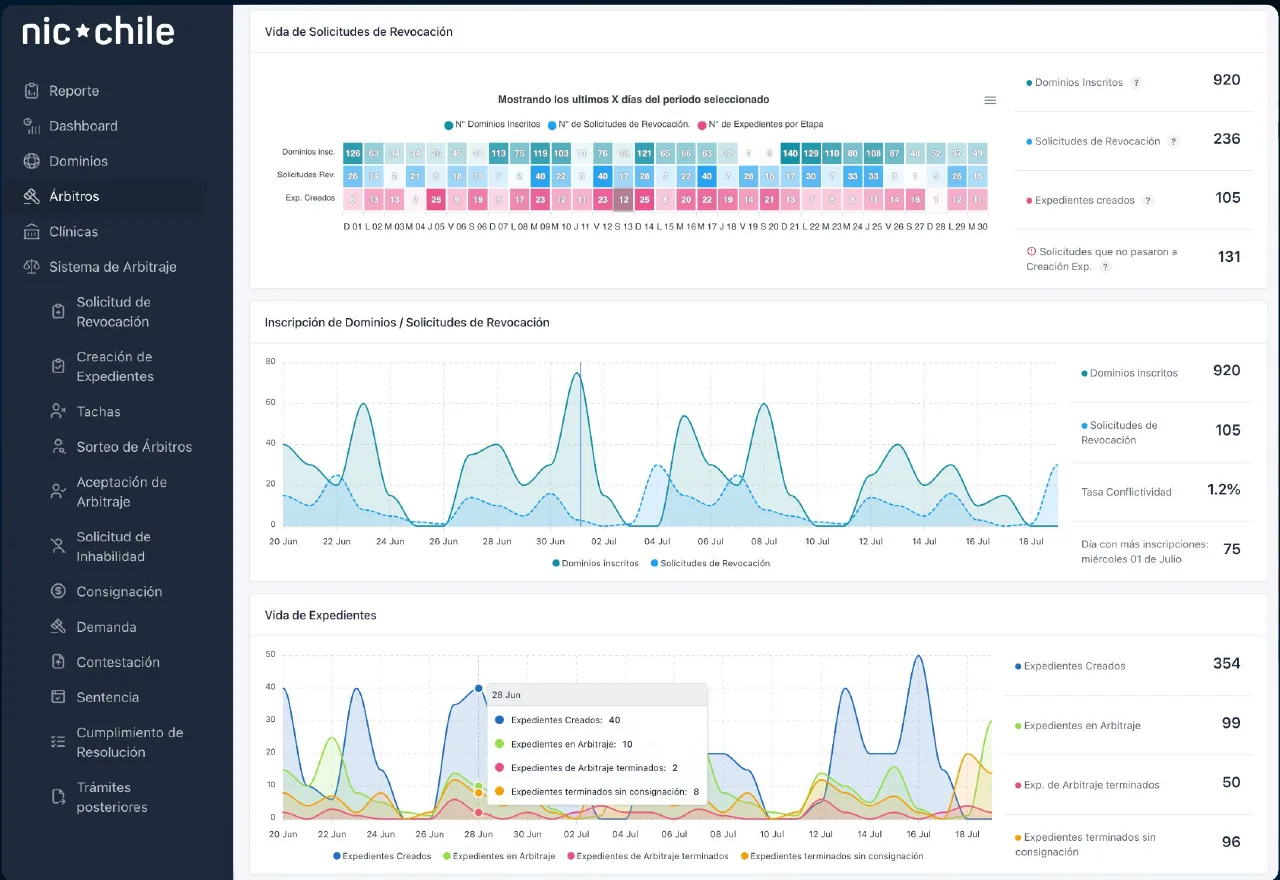
The old tools were organised by where data came from. I organised ReCon by the 12 stages a dispute goes through, from the revocation request to final compliance. Each stage shows the same three things: how many cases, how long they take, how many are late.
Choose each chart by the question it answers
Charts
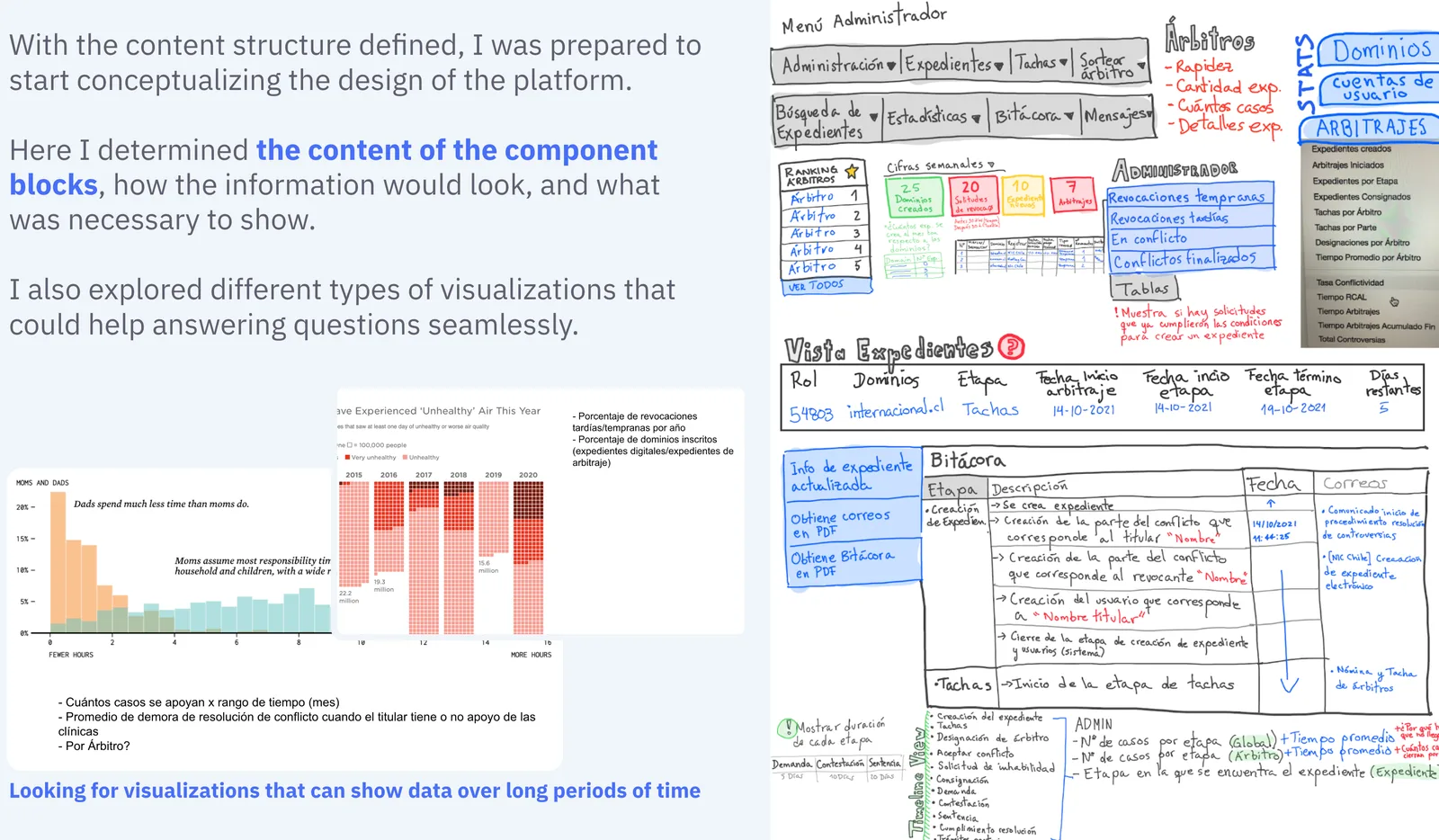
I listed the questions coordinators asked about each stage and sorted them into historical, comparative or mixed. That decided the chart type, and I tested alternatives against real questions before choosing.
Merge sources into single views
Data
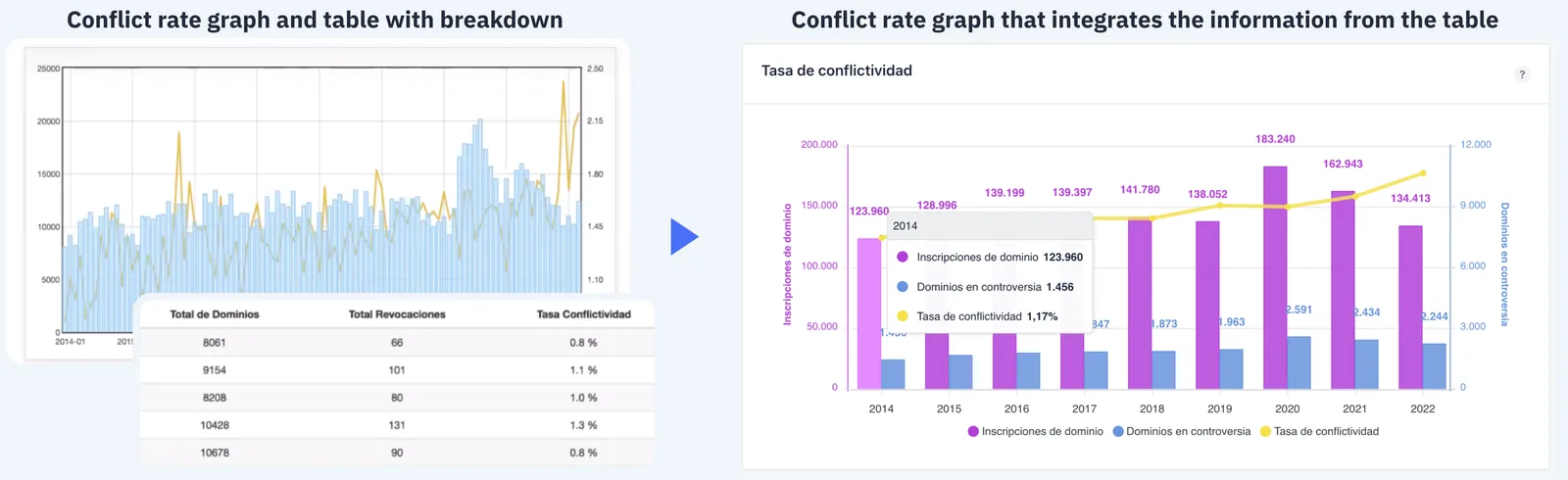
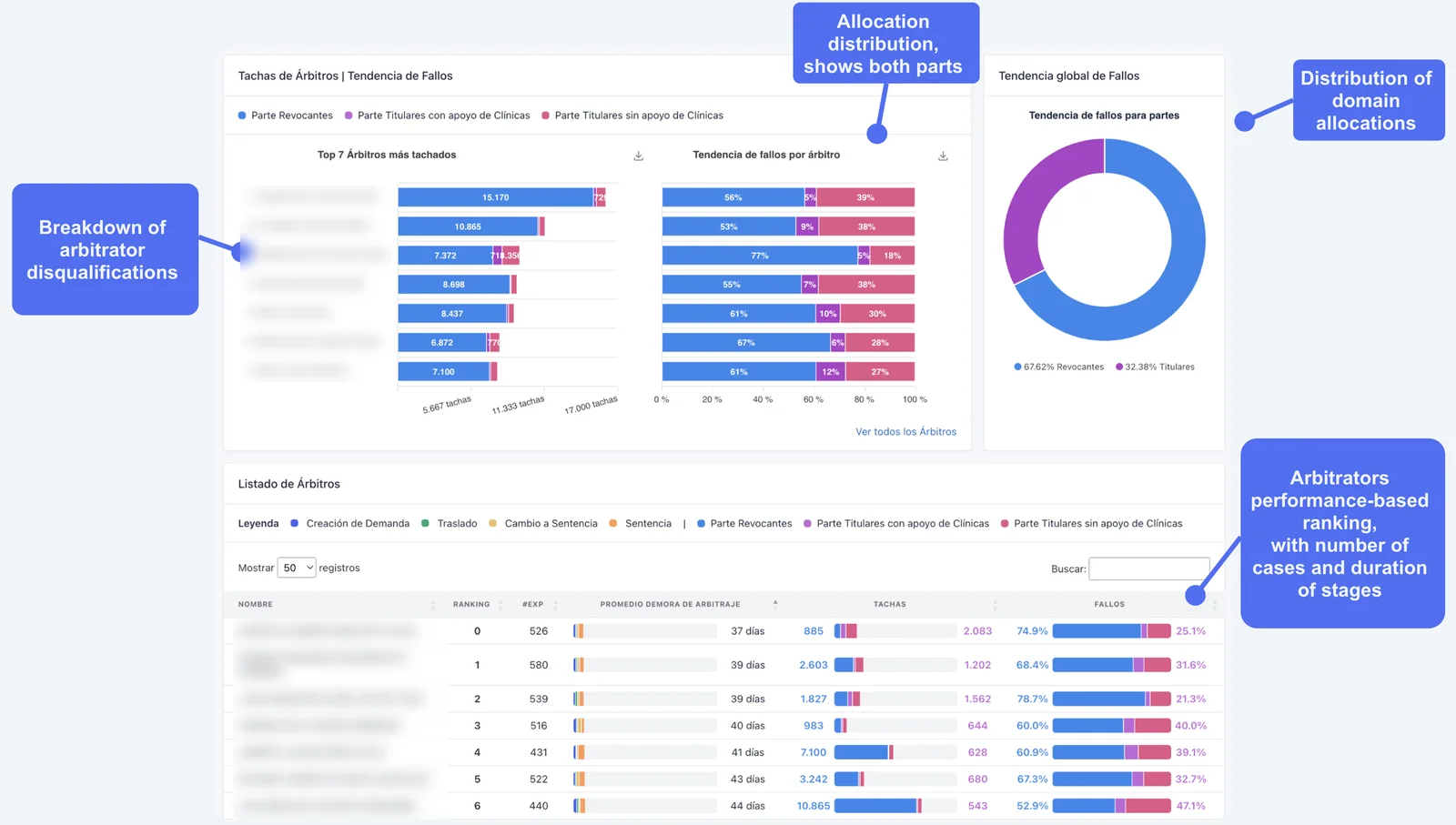
Where two systems each held half an answer, I combined them. The conflict-rate chart now carries the table that used to sit beside it, and domain allocation shows both parties of a dispute.
Prototype in code
Process
I built the interface with the developer's UI kit and chart library, so tests used real data shapes and the developers started from working code instead of mockups.
One idea, two fidelities. The stage timeline, sketched and then mocked up, became the backbone of every view.FIG. 03
Questions first. Exploring charts for long time periods, and the content of each component.FIG. 04
Two views into one. The conflict-rate chart absorbed the table that used to sit beside it.FIG. 05
One tool for every stage, clinic and arbitrator
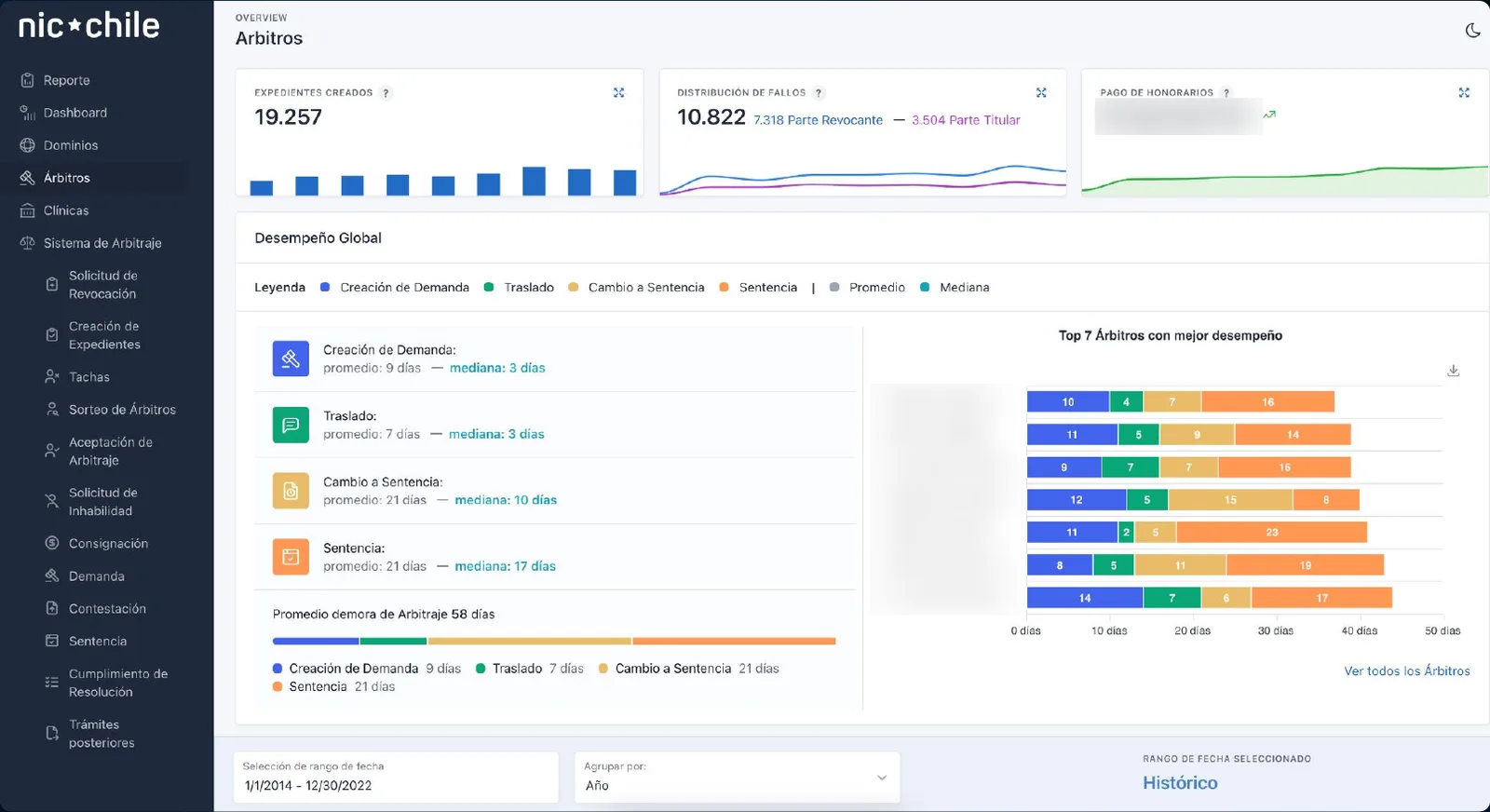
Arbitrators. Average and median days per stage, and how each arbitrator performs. Names and fees are blurred.FIG. 06
Data from several platforms, in one view. Challenges, rulings by party and time per stage, which used to sit in separate systems and spreadsheets, side by side for each arbitrator. Names are blurred.FIG. 07
Life cycle. Domains entering the dispute process, day by day, from registration to case.FIG. 08
From hours of assembly to answers in one view
Finding a key indicator went from hours to minutes
Time and steps to key indicators · indexed, before = 100
Coordinators could finally see why legal clinics had started losing more cases.
Performance data informed decisions on which arbitrators to keep or remove.
Reports comparing any two periods now go to the board and to external stakeholders.
The Legal Director and the coordinators described the tool as a paradigm change for the dispute resolution center.
What I'd do differently
What worked
Organising the tool around the 12 stages gave coordinators a structure they already knew, so every view read like the protocol they follow.
What I'd change
Some edge cases in the data only appeared once it was visible. Next time I'd look at the raw data with the coordinators earlier, before designing the views.