CMBOne map for a city's buses

Santiago's bus control room watched thousands of buses on many small screens, in a dark room, and gave instructions by phone. I designed one map with semantic zoom, so operators could go from the whole city to one bus without changing tools.
Client
Ministry of Transport, Chile, via Inria Chile
Years
Jul 2017 – Feb 2018
Role
Designer and front-end
Team
Me, 2 developers
Status
Shipped
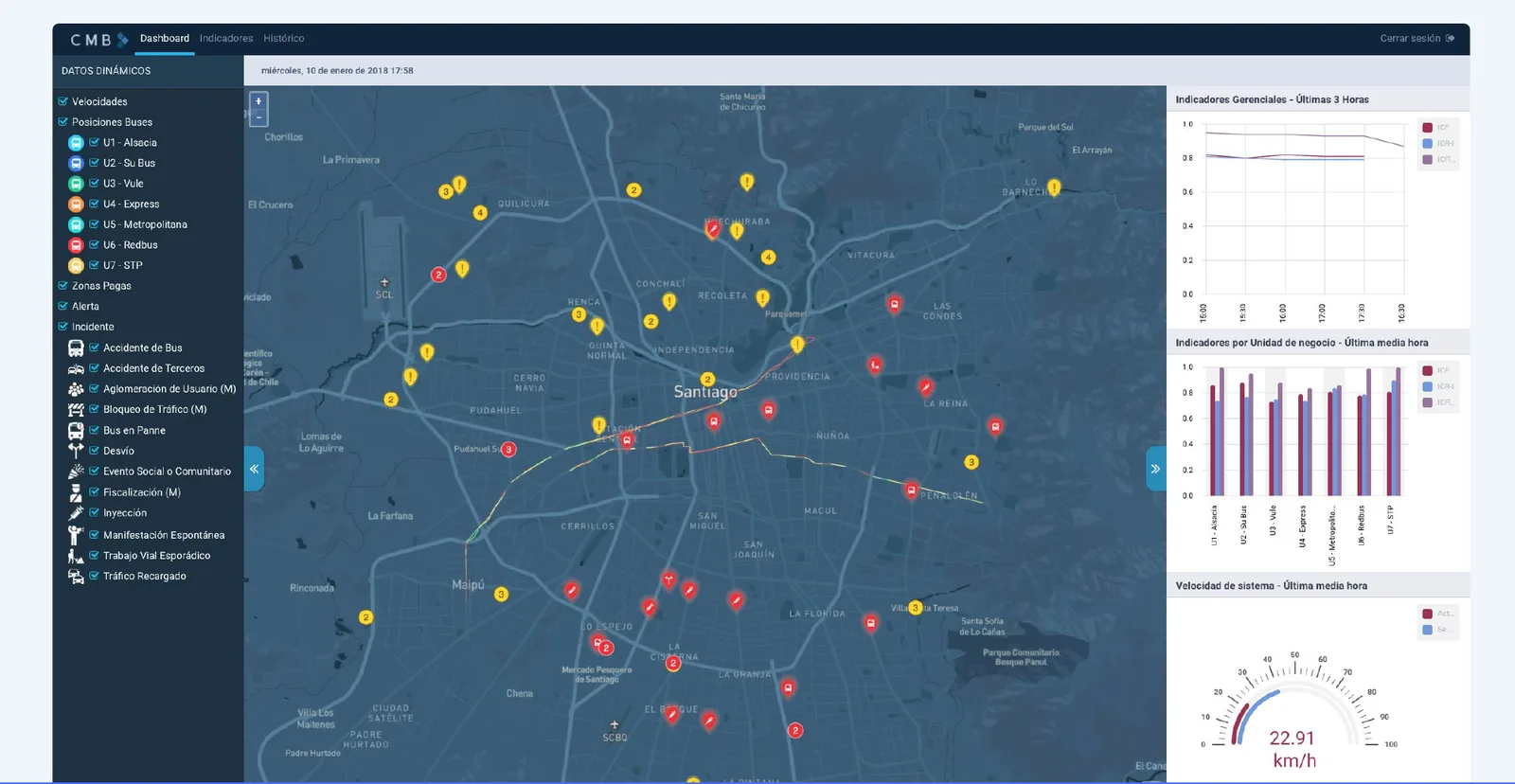
The CMB dashboard: a dark map of Santiago with incidents and alerts, data layers on the left and indicators on the right.
6,154buses on the map every dayCMB key statistics
384routesCMB key statistics
12operators, around the clockControl room
6.2Mpeople served by the bus networkCMB

A control room that saw the city in pieces

Twelve operators watch Santiago's buses 24 hours a day, alongside police and metro liaisons. They worked in a dark room with many small screens, handed over between shifts, and gave instructions to drivers by phone.

Observing the room

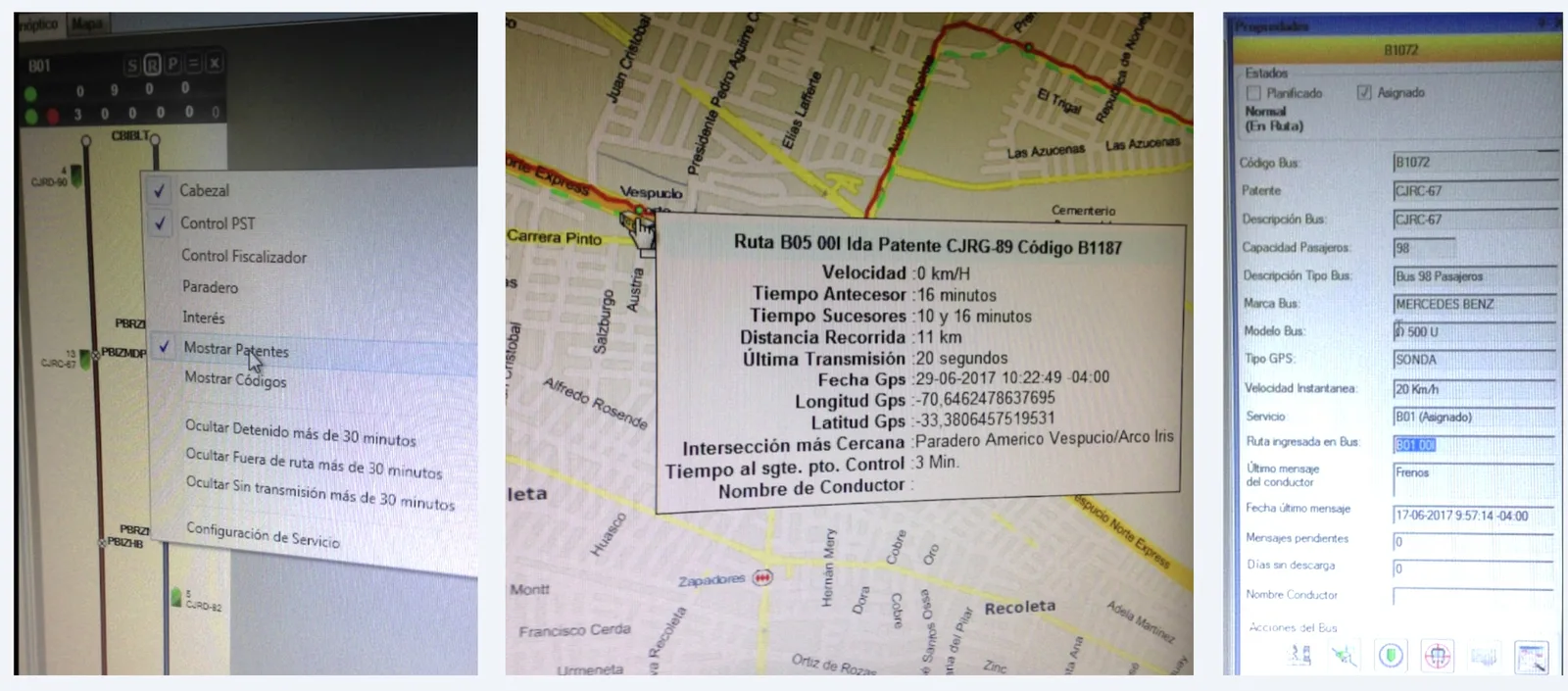
Twelve years after Santiago's transit system launched, the center's tools were obsolete: operators copied information from one tool to another to make a decision or log an event. I ran contextual observation and interviews with operators, the operations manager and the project manager. Watching the control room showed what the interface had to fit:
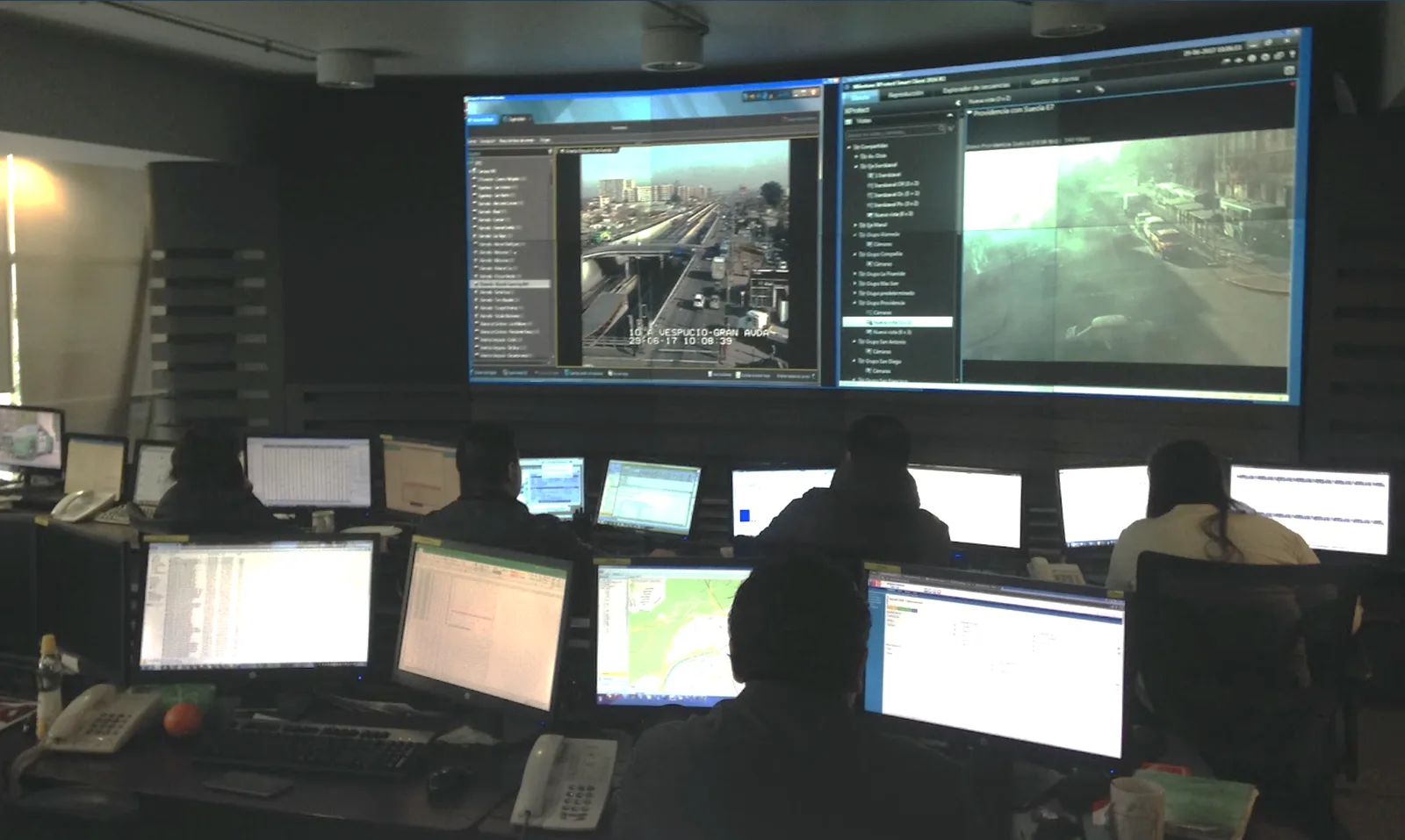
Operators, seen from behind, at desks with many monitors, under a video wall showing traffic cameras.
The control room. Many small screens and a video wall, watched around the clock.FIG. 01
  1. DarkA dark room, watched around the clock.
  2. ScatteredMany small screens, each showing part of the picture.
  3. HandoversShift changes, where context gets lost.
  4. By phoneInstructions to drivers by phone, with police and metro liaisons in the room.
Three photos of the old tools: a route diagram with a context menu, a street map with a bus's details in a popup, and a bus's properties form.
Before. Three of the tools operators switched between to follow one bus.FIG. 02

Design for the room, then for the data

I then ran participatory design sessions with operators to define the key concepts, group the information and set the interactions.
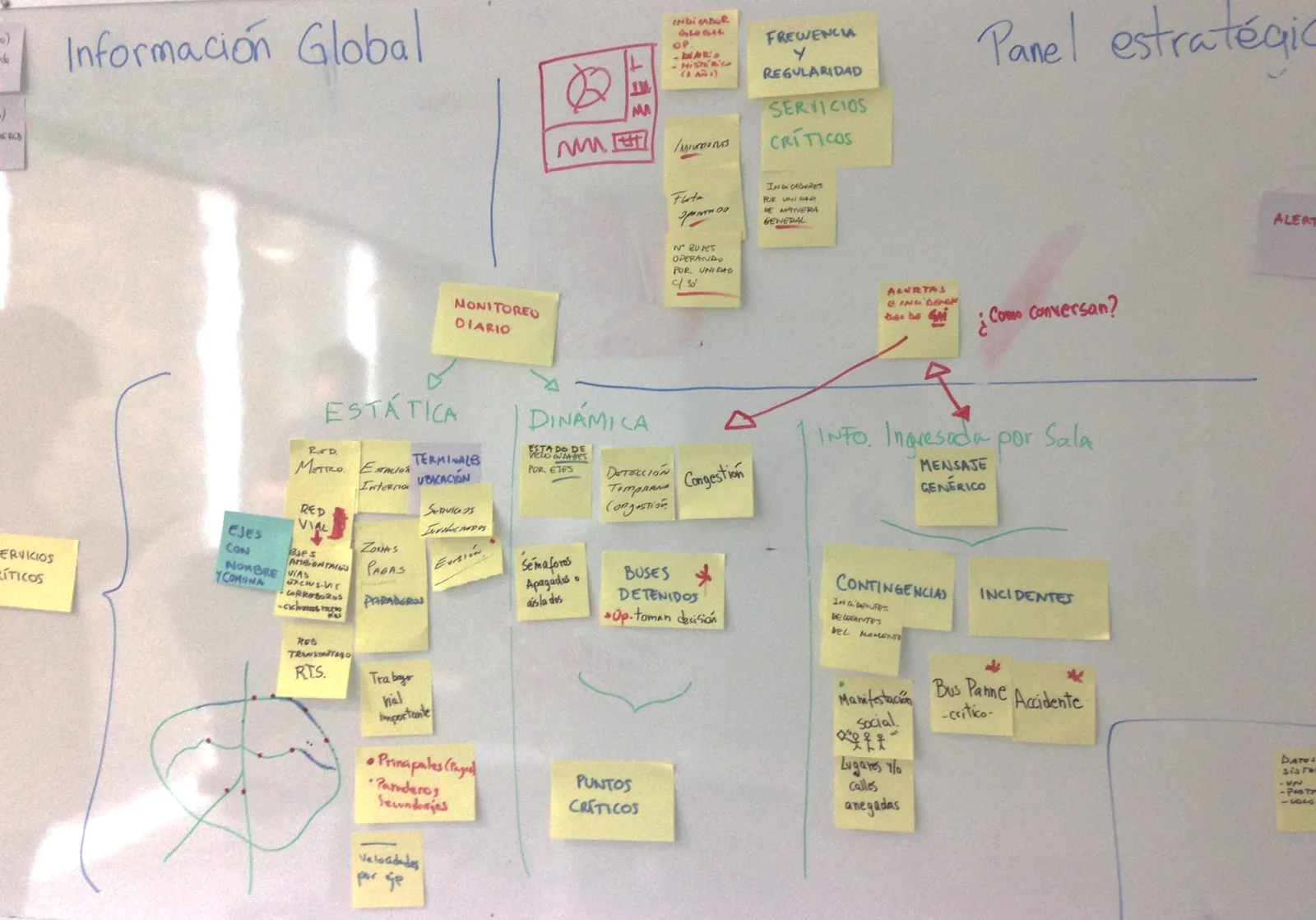
A whiteboard from a participatory session, covered in sticky notes grouping information into static data, dynamic data and information entered by the room.
Participatory session. Operators grouped the information into static data, live data and what the room enters itself.FIG. 03
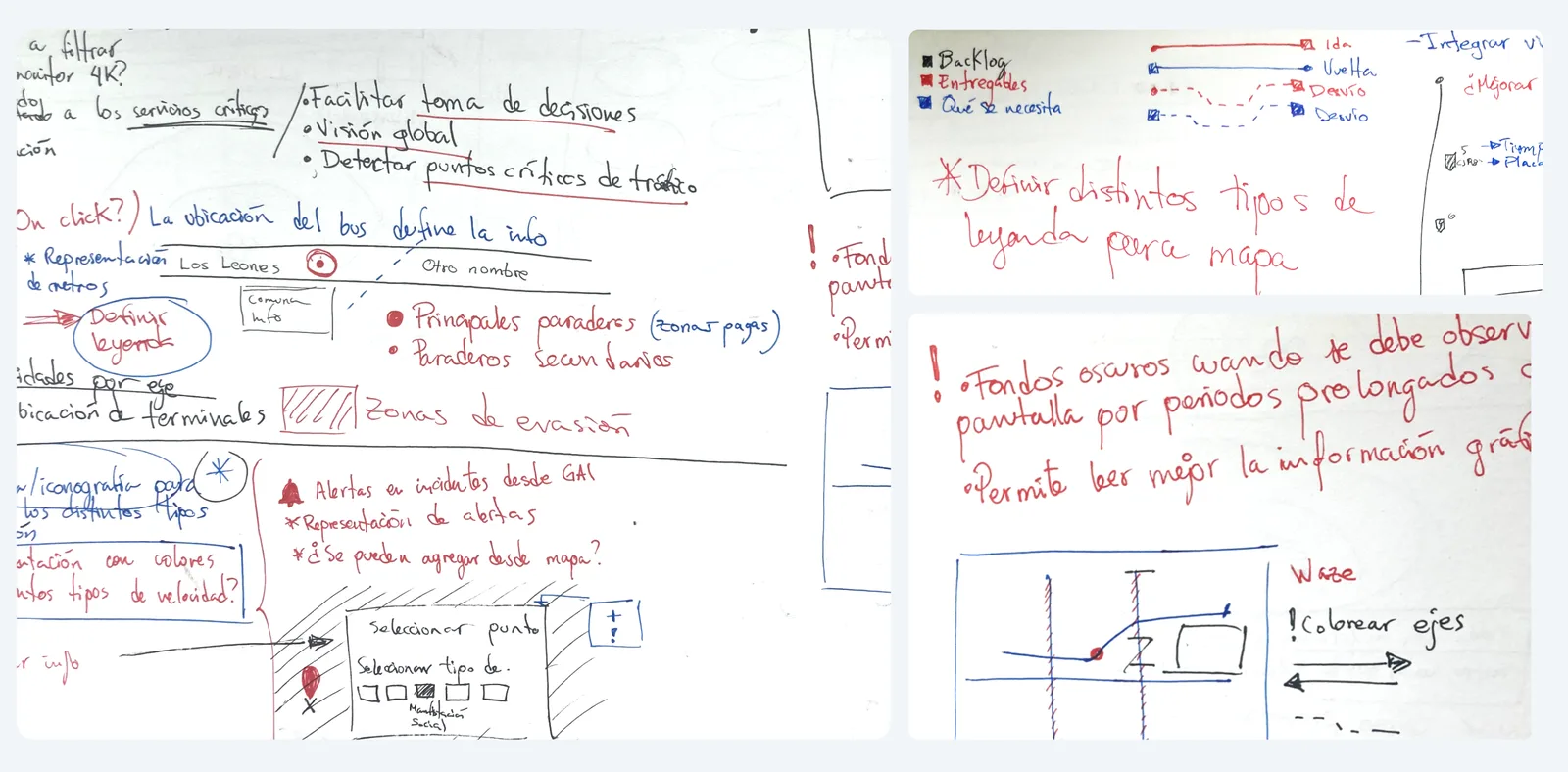
Whiteboard notes and sketches in Spanish: goals for the dashboard, a map legend for routes and detours, alert types, and a note that dark backgrounds suit long viewing.
From the sessions. A legend for routes and detours, alert types, and the note that led to the dark interface: dark backgrounds suit long viewing.FIG. 04

A dark interface for a dark room

Environment

Bright screens in a dark room tire the eyes over a long shift and wash out the shared displays.

Semantic zoom in five groups of information

Maps

Five groups of information at once would overwhelm. Zoomed out, the map shows alerts, incidents and traffic; zoomed in, it shows each bus.

A history view for recurring events

Memory

Football matches, protests and concerts repeat. A history view lets operators plan from what happened last time.

Prototype the map in code

Process

I built the map from an open-source library and wrote the first front-end, so we could test with real data volumes.
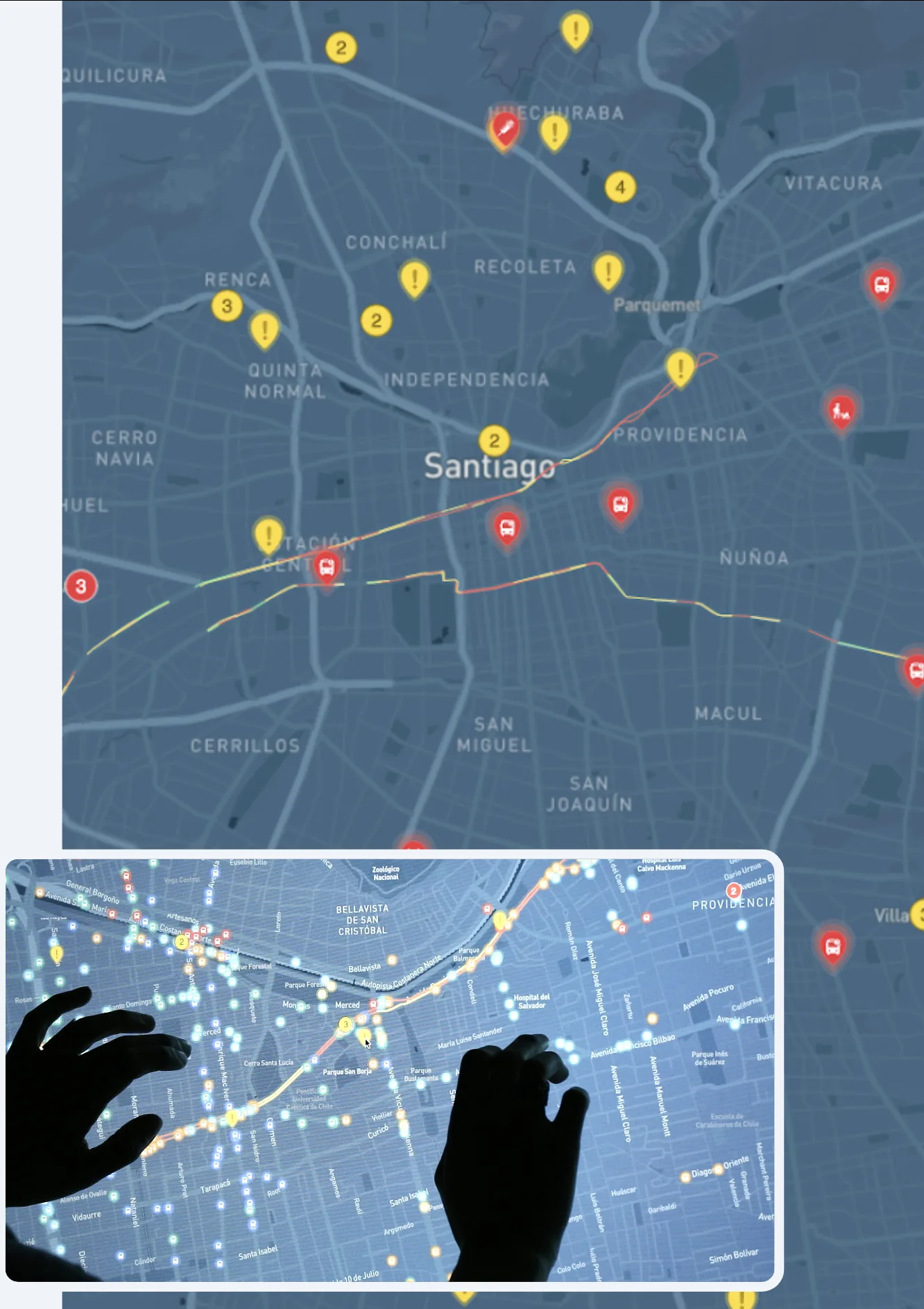
The map zoomed out, with grouped alerts and incidents over Santiago's districts, and an inset of the same map zoomed in to individual buses, on a touch screen.
Semantic zoom. Grouped alerts across the city; zoom in and each bus appears.FIG. 05

One map for the whole city

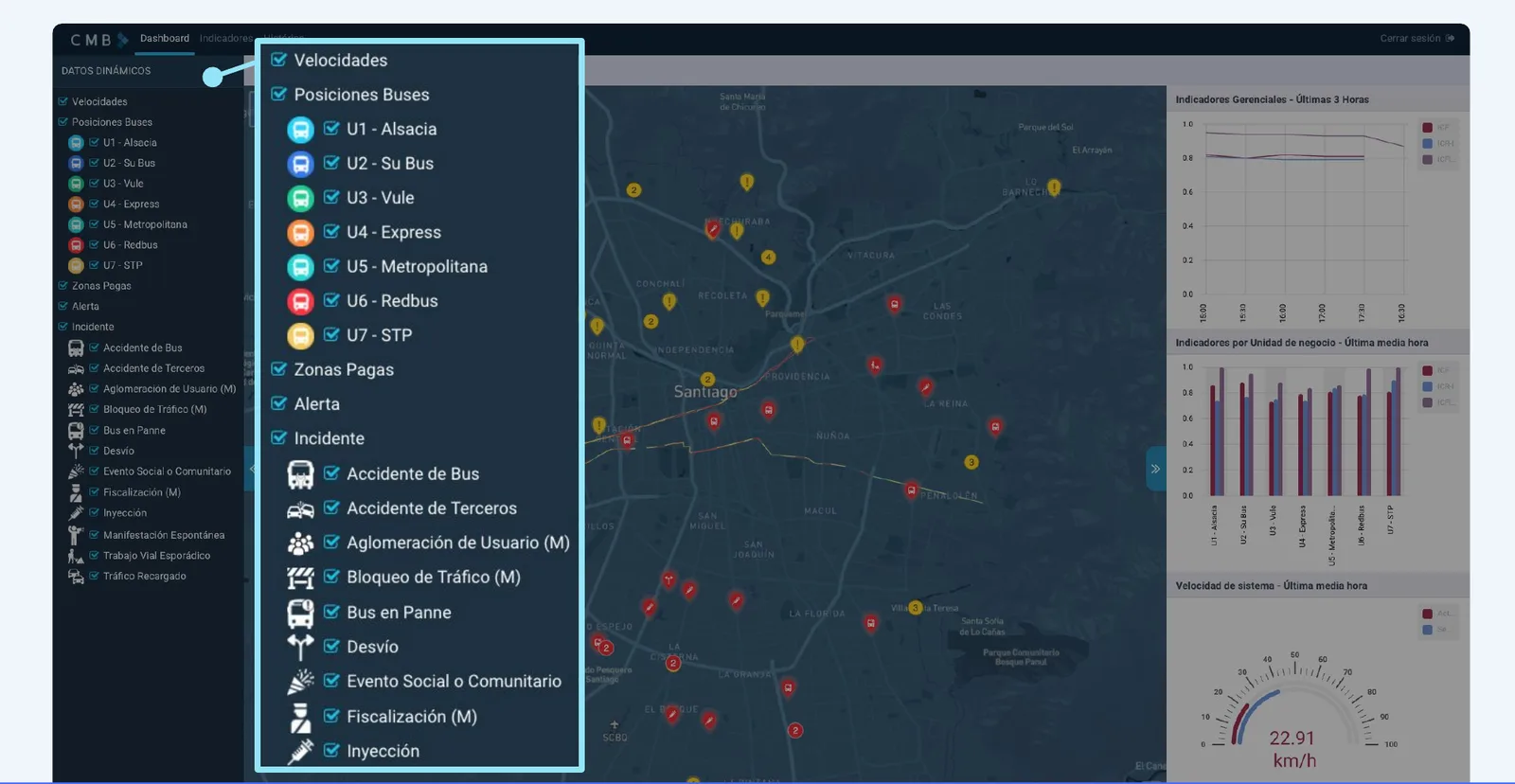
The CMB dashboard: a dark map of Santiago with incidents and alerts, a list of data layers on the left, and indicators on the right.
The city. The zoomed-out map with incidents and alerts.FIG. 06
The filter panel listing the bus operators, paid zones, alerts and types of incident.
Filters. Show only the layers you need.
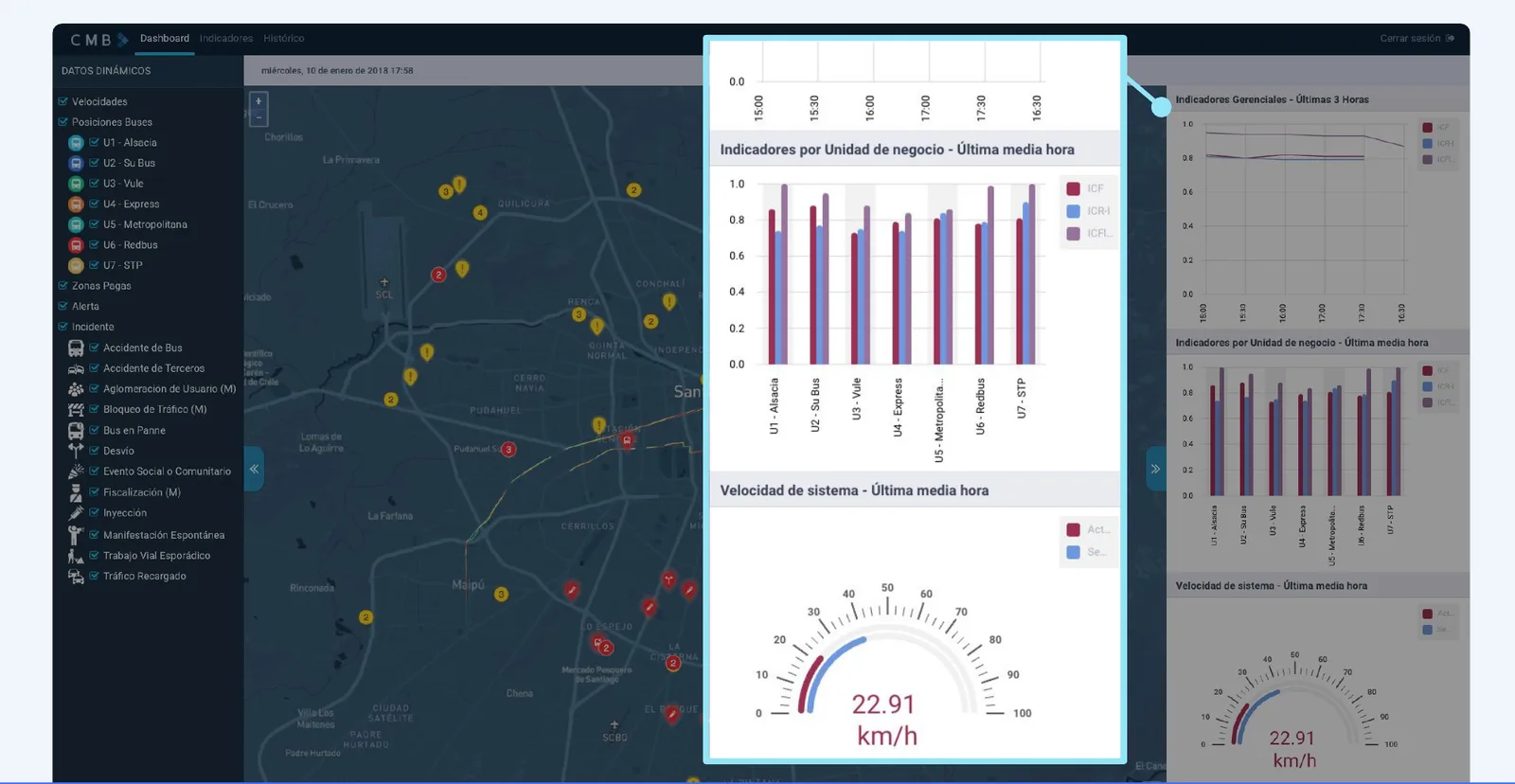
Indicators comparing the performance of each bus operator, beside the map.
Indicators. Performance by bus operator.
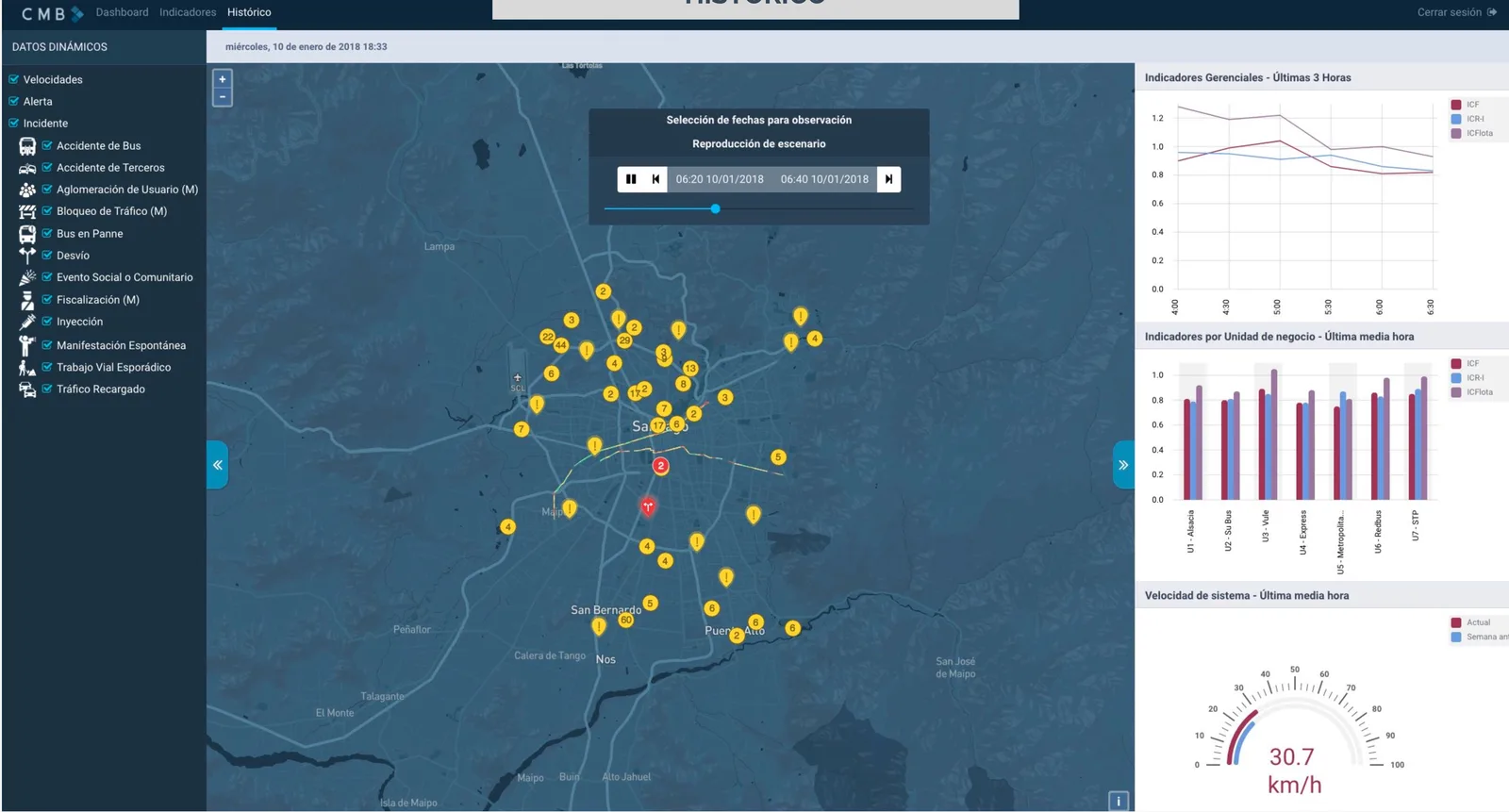
The history view: the map of Santiago replaying incidents between two times on a chosen date, with management indicators, indicators per operator and system speed on the right.
History. Replay a past day to plan for the next match or concert.FIG. 07

Every route in one ring

384Bus routes

One tick per route: 384 in all. The ring is a unit chart, so its density is the number.

CMB key statistics

One of the center's most important tools

  • Operators see the location, speed and status of every bus in real time, in one view.
  • A clearer, more complete picture reduced response time and supported better-informed decisions.
  • The history view helped operators prepare for recurring events, such as football matches and concerts.

Operators said they were much better prepared to plan for and react to contingencies, and the dashboard became one of the center's most important tools.

What I'd do differently

What worked

Designing with operators in participatory sessions, then prototyping the map in code, meant we tested real concepts with real data volumes early.

What I'd change

Static and real-time data came in very different volumes. I'd prototype with the full live stream sooner, to find performance limits before the design settled.